
Get your event ready for guests
Follow six steps to get Willa ready, from adding event information and guests to testing Willa and sharing your number. Use readiness to find gaps.
Last updated
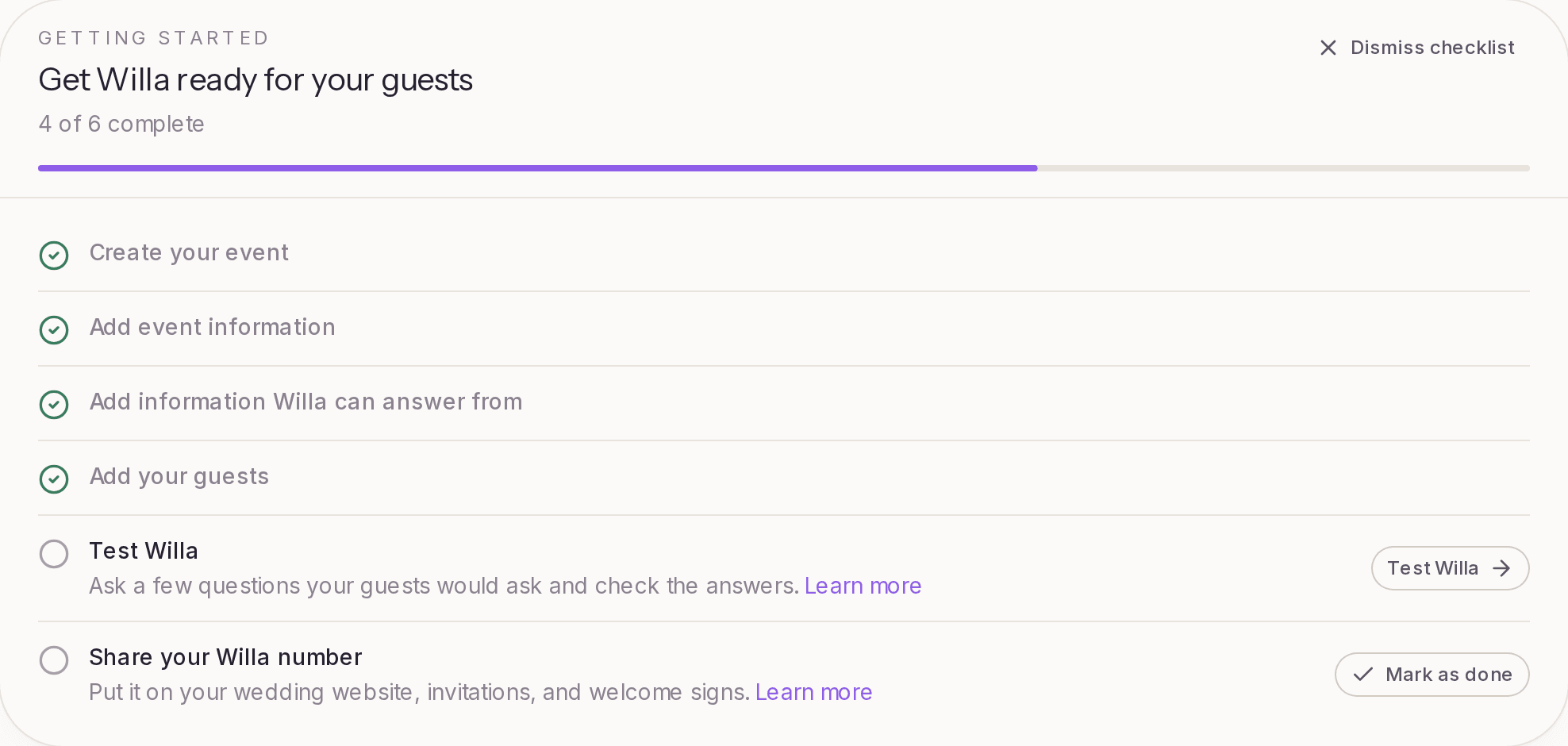
Your event is ready for guests once Willa can answer the questions they'll ask, your guest list is in, and you've shared your Willa number or link. The Get Willa ready for your guests checklist on your event's Overview walks you through it in six steps.
The six steps
- Create your event. Done as soon as your event exists. See Create your first event.
- Add event information. In Event info, add where it's happening so Willa can point guests in the right direction. While you're there, check the other basics: the hosts (or the couple, for a wedding), your dates and times, and a short description.
- Add information Willa can answer from. In Knowledge > Teach Willa, add details, upload documents, or import your wedding website. This is where Willa learns about the schedule, parking, dress code, hotels, and anything else guests might ask. See What information should I add to Willa?
- Add your guests. In Guests > All guests, add your guest list so you can send announcements and see who's asking. See Import your guest list.
- Test Willa. In Knowledge > Test Willa, ask a few questions your guests would ask and check the answers. See Test Willa before sharing it.
- Share your Willa number. Put it on your wedding website, invitations, and welcome signs. On the Free plan, this step is Share your guest page instead: use Share link at the top of the page to send guests your Willa page. See Where should I share my Willa number?
Each step has a button that takes you to the right page. Steps check themselves off as you go, except sharing: Willa can't see where you've shared your number, so select Mark as done once you have.
The checklist goes away once every step is done. To hide it sooner, select Dismiss checklist.
Check readiness
The Overview also shows how ready Willa is, as a percentage, and lists the topics it still needs. Select Continue setup (or Fill the gaps) to open the readiness page.
Readiness compares what Willa knows with the topics guests usually ask about for your type of event. For a wedding, that's the schedule, venue, parking, dress code, hotels and stays, transportation, registry, and children. Other event types have their own lists.
The readiness page has two lists:
- Still needed: topics Willa can't answer yet, each shown with the way a guest would ask it. Select Add next to any topic to type in the answer right there.
- Covered: topics Willa already has an answer for.
If you picked a venue that already has guest details in Willa, some topics may be covered by the venue before you add anything.
Launch to guests
When you're happy with what Willa knows, select Launch to guests on the readiness page. Your event is marked live. From there, share your guest link or send an announcement to let guests know Willa is ready.
If guests start asking before you launch, the event is marked live automatically.
Keep it up to date
Plans change. When something moves, like a new shuttle time or a backup location for rain, update it in Knowledge and Willa starts using the new answer. On Essential and up, you can also send an announcement so guests hear about it without having to ask.