
Send an announcement
Text an update to all your guests from your Willa number. Send it now, schedule it for later, or save a draft. Included on Essential and up.
Last updated
An announcement is a text message sent to your guests from your event's Willa number. Go to Messages > Announcements, select New announcement, write your message, and choose when to send it. Announcements are included on Essential and up.
Write and send an announcement
- Go to Messages > Announcements.
- Select New announcement.
- Write your Message. Keep it short and specific, like "Shuttle leaves the hotel lobby at 3:15. See you there." Messages can be up to 300 characters, and a counter shows how many you've used.
- Under Send to, choose Everyone, or Specific groups on Signature.
- Check how many guests will receive it. Willa also shows how many guests have opted out of texts or are missing a phone number.
- Under When, choose Send now, Schedule, or Save as draft.
- Select the button to finish: Send now, Schedule, or Save draft.
Because announcements come from your Willa number, guests can reply with a question and Willa answers it.
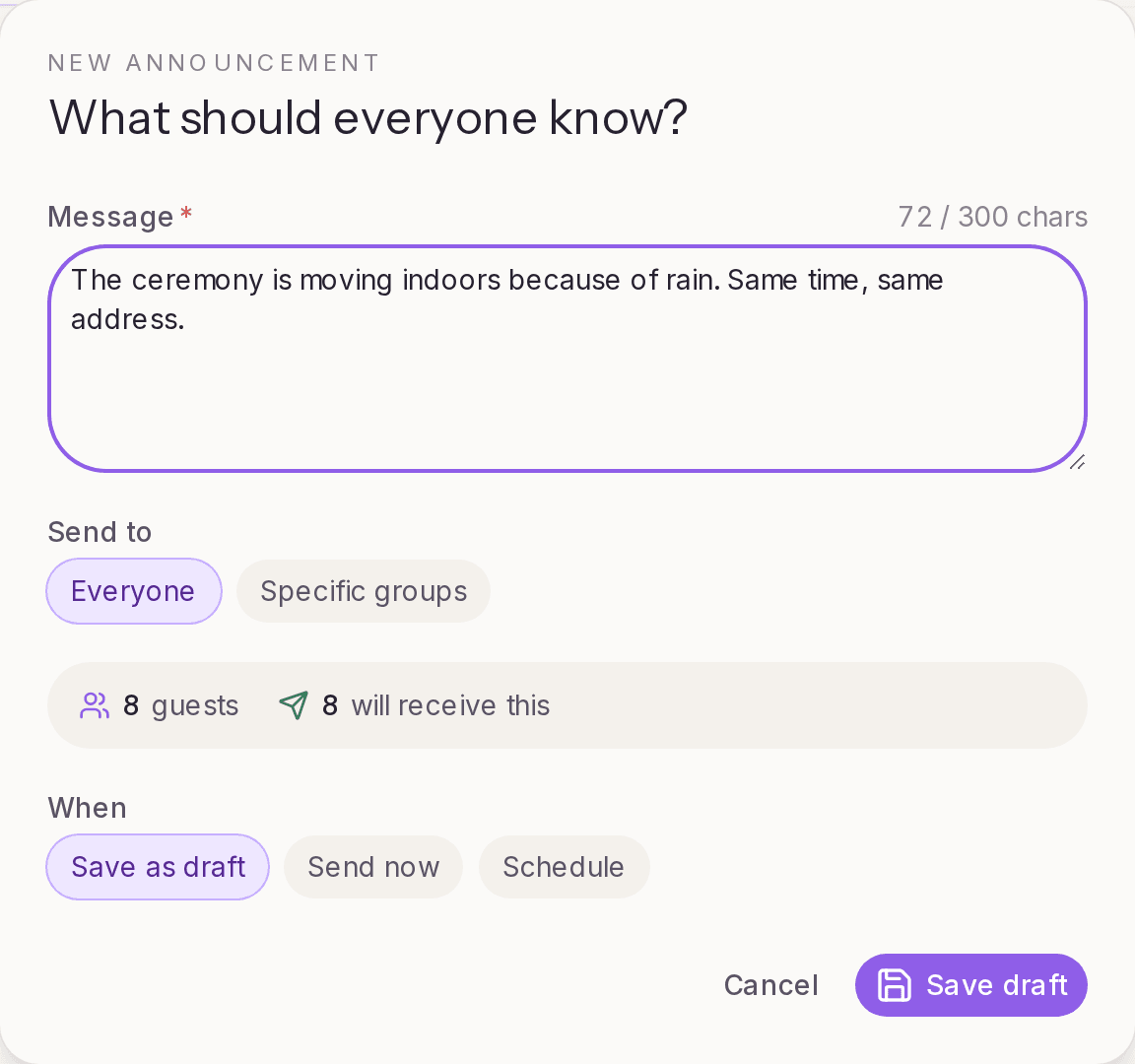
Who receives it
Announcements go to guests on your list who have a phone number. Guests without a phone number, and guests who replied STOP, won't get it. To reach more people, add phone numbers in Guests > All guests. See Import your guest list.
Schedule for later
Choose Schedule to send at a set date and time. It's useful for reminders you can write ahead, like the morning-of weather or the last shuttle back.
Scheduled announcements appear on the Scheduled tab. From there you can edit one, move it back to drafts, or delete it.
Drafts
Choose Save as draft to finish a message later. Drafts appear on the Drafts tab, where you can edit them or send them right away.
Sent announcements
The Sent tab lists announcements you've sent, with delivery details.
How many you can send
Each plan includes a number of announcements per event:
- Free: not included
- Essential: 3
- Signature: 10
- Concierge: unlimited
An announcement counts once it's scheduled or sent, no matter how many guests receive it. Drafts don't count, and neither do announcements that fail to send. When you've used all of yours, you can upgrade the event for more.
Ideas for announcements
- Introduce Willa: "Hi from Maya and Theo. Text this number anytime with questions about the weekend, like the schedule, parking, or hotels."
- Day-before reminder: arrival time, parking, and what to wear
- Day-of updates: shuttle times, weather, a change of room
- After the event: a thank-you, or where to find photos
Before sending a change of plans, update the detail in Knowledge > Teach Willa too, so Willa gives guests the same answer if they ask.