
Test Willa before sharing it
Ask Willa the questions your guests will ask before you share it. Use Test Willa and Preview as guest to check its answers and fill any gaps.
Last updated
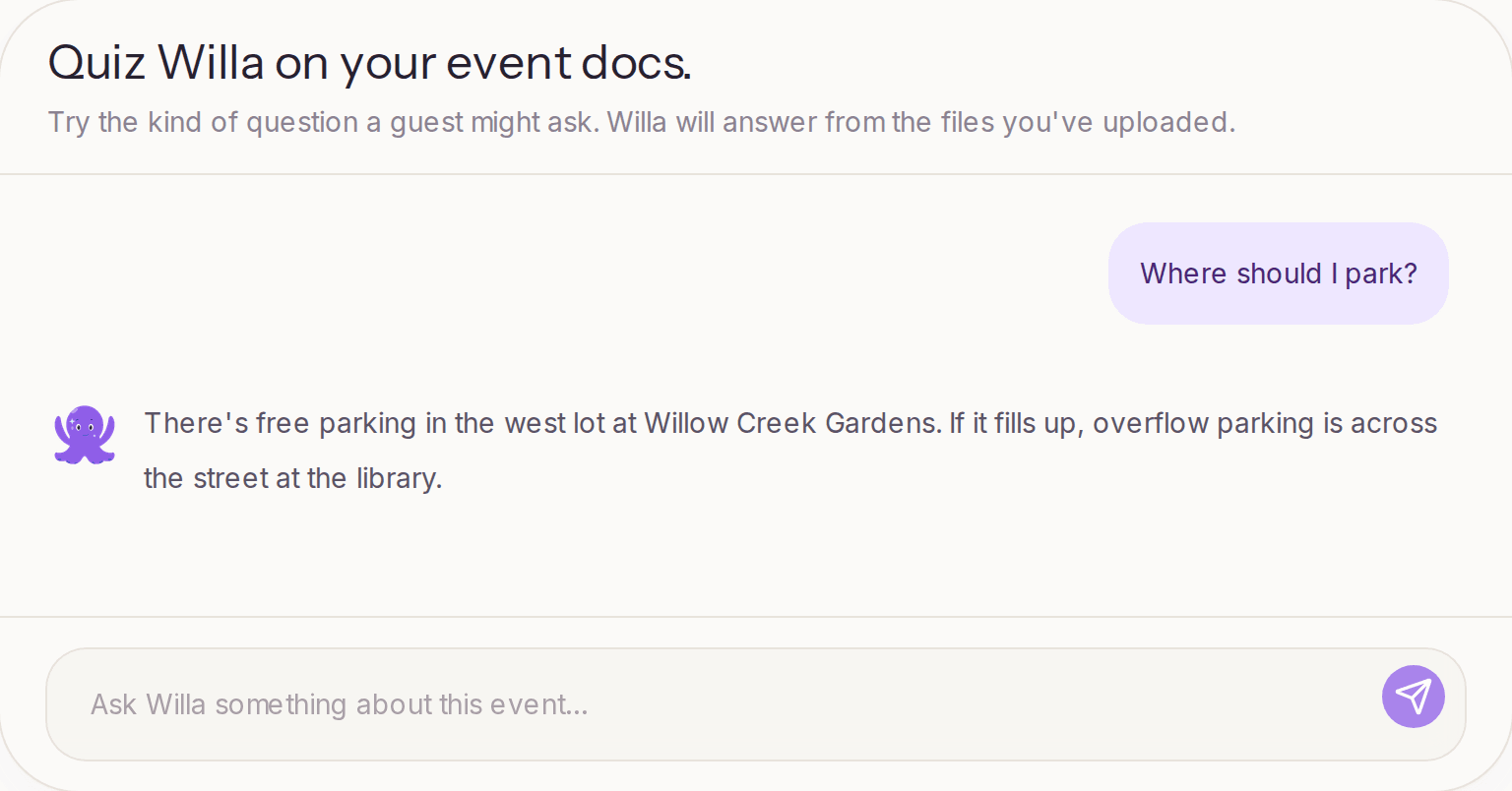
Before you share your Willa number, ask Willa the questions your guests are likely to ask. Go to Knowledge > Test Willa in your event's sidebar and type a question, just as a guest would.
Ask like a guest
Guests won't phrase things the way your documents do, so test the casual versions:
- "What time should I get there?"
- "Where do I park?"
- "Is there a shuttle from the hotel?"
- "Can I bring my kids?"
- "What should I wear?"
- "Where's the after-party?"
Test Willa also suggests questions to try, based on what it has learned so far. Each answer shows the sources Willa used, so you can see where it found the information.
Fix what's missing or wrong
If Willa can't answer something, or gets it wrong, the fix is almost always to add or correct the information:
- Go to Knowledge > Teach Willa.
- Select Add detail and type the answer in plain language. You don't need to write it as a question and answer.
- Ask Willa again in Test Willa to confirm.
If an answer comes from an outdated file, update or remove that file so Willa stops using it. If Willa finds details that contradict each other, the Knowledge page flags them for review.
What Test Willa can see
Test Willa answers as a host. It can use everything you've added, including details you've limited to specific guest groups. When a detail only applies to one group, Willa may mention that.
A guest only gets answers from information that's visible to them. To see your event the way guests do, select Preview as guest at the top of any event page. It opens your event's guest page.
When you're done testing
Once Willa handles your guests' most likely questions, you're ready to share it. See Where should I share my Willa number?
Keep testing after launch, too. The Overview shows the questions guests are asking and whether Willa answered them, which is a good guide to what to add next.