
Add your event information
Add the details Willa answers from. Fill in Event info, then type in details, upload files, or import your wedding website in Teach Willa.
Last updated
Willa answers from two places: the basics in Event info, and everything you add in Knowledge > Teach Willa. Start with the basics, then add the details guests will ask about.
Fill in Event info
Open Event info in your event's sidebar. It shows the core details Willa uses to understand your event, in four sections. Select Edit next to a section to change it:
- Event: the event name, the event type, and the Couple (for weddings) or Hosted by
- Date & time: the date (or, for an event that spans multiple days, the start and end dates), optional start and end times, and the Timezone
- Location: pick your venue or enter a custom location, so Willa can tell guests where to go. If Willa already knows guest details about your venue, you'll see how many, with a link to them in Knowledge.
- About: a short description that Willa uses when answering guest questions. Select Add description if you haven't written one yet.
Each section saves on its own when you select Save changes.
Teach Willa the details
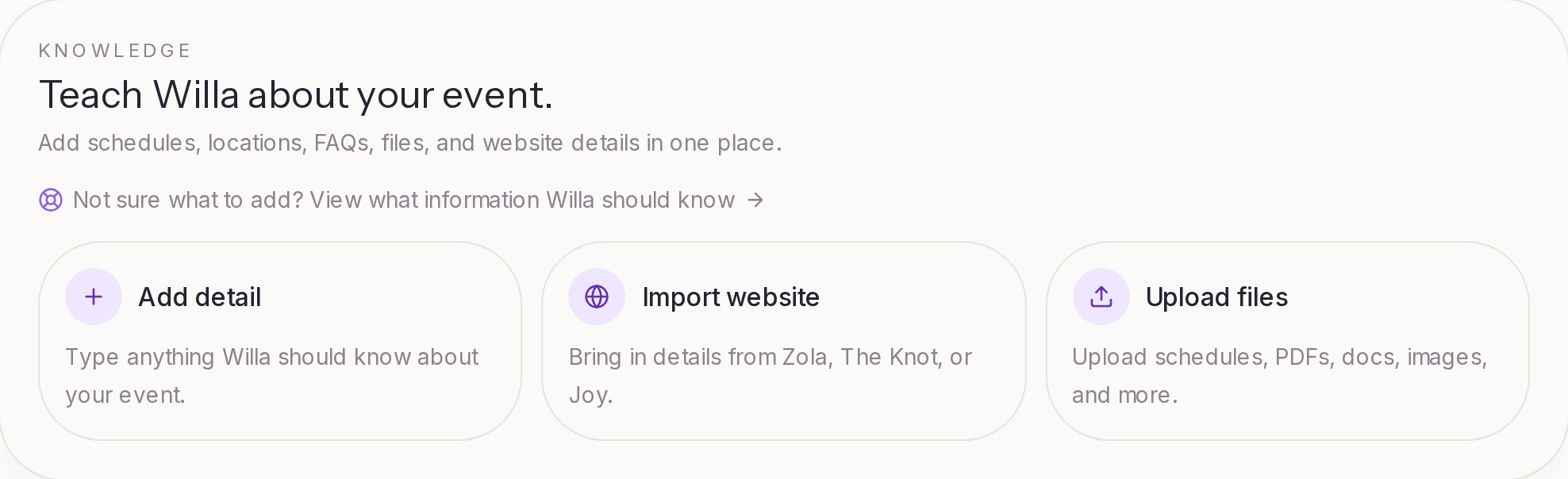
Everything else goes in Knowledge > Teach Willa. There are three ways to add information, and you can mix them:
Add detail. Type anything Willa should know: a note, an instruction, an FAQ, a schedule detail, parking info. Plain notes work well. You don't need to write them as questions and answers. For example:
Guests can park in the west lot near the main entrance. Each household may bring up to two cars. Dinner is served in the garden pavilion after the ceremony.
You can add an optional Title and Topic to keep things organized, and choose who the detail is Visible to. Then select Save detail.
Upload files. Add schedules, PDFs, documents, and images. Willa reads each file and answers from it. See Upload event information and documents.
Import website. Bring in details from a wedding website on Zola, The Knot, or Joy. Paste your website link, and Willa reads the site. You review the details it found on the Knowledge page before they're used. Website import is available on Essential and up.
See what Willa knows
The Teach Willa page organizes everything into tabs:
- Topics: what Willa has learned, grouped into topics like Schedule, Parking, or Dress code
- Details: the details you've typed in
- Sources: the files and websites you've added
If two details don't match, like two different ceremony times, Willa flags them under Some details do not match so you can fix the right one.
On Signature, you'll also see Unanswered questions and Suggestions: questions guests asked that Willa couldn't answer, and entries Willa drafted from them for you to review.
Venue details
If you picked a venue that other Willa events use, Willa may already know some guest details about it, like parking or accessibility. Those appear in Knowledge and count toward readiness. Anything you add for your own event takes priority over venue information.
Keep it current
When plans change, edit the detail or replace the file, and Willa uses the new information from then on. Remove anything that's no longer true, so Willa doesn't give guests outdated answers.